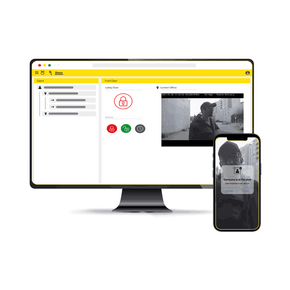



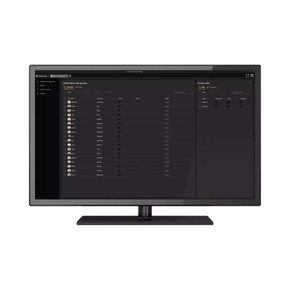

Overview of the Paxton Net2 Pro management software
- One-off licence for professional Paxton access control management, enabling full control of your Net2 system
- Manage doors, users, schedules, events and reporting to streamline site security operations
- Supports multiple readers, keypads and access points for flexible access configurations
- Assign and customise credentials for users, including cards, fobs and PIN codes
- Remotely manage your system via Net2Online in a web browser or the Paxton Connect app on mobile devices
Paxton Net2 Pro is a one-off licence for professional access control management. It lets you manage doors, users, schedules, events and reporting across multiple readers, keypads and access points. You can assign and customise credentials for users, set anti-passback and security lockdowns, and integrate CCTV and security camera systems. Installed on a Windows PC for centralised system control, it also enables remote management via Net2Online in a web browser and the Paxton Connect app on mobile devices.
Operation
The software lets administrators assign and manage user credentials, monitor doors, schedules and events in real time and generate detailed audit reports. It supports integration with CCTV and other security camera systems, allowing video to be linked to door events for enhanced monitoring. Remote management is available via Net2Online in a web browser or on mobile devices with the Paxton Connect app, allowing secure access and system control from anywhere.
Installation
Paxton Net2 Pro software is installed on a Windows PC, providing centralised management of your access control system. The setup guides you through adding doors, readers, keypads and users. It is compatible with existing Paxton hardware, making it easy to expand or update your system.
Back To TopFrequently bought together with this product
Similar products