


Milestone XProtect is known as one of the most powerful and flexible video management system (VMS) on the market. When paired with Honeywell cameras, users already benefit from a reliable, open-platform surveillance solution.
However, Honeywell has now taken that integration a step further with the Honeywell Camera Manager plugin for Milestone XProtect - a free plugin designed to make life easier for both control room operators and system administrators.
This plugin installs directly into the Milestone environment and adds practical, time-saving features that improve everything from daily camera operation and investigation to installation and configuration.
What Is the Honeywell Camera Manager Plugin?
The Honeywell Camera Manager is a suite of add-ons that integrates seamlessly into Milestone XProtect Smart Client and Management Client.
Its purpose is simple:
to give users faster access to camera controls, smarter search tools, and more efficient ways to manage Honeywell cameras, all without leaving Milestone.
And importantly, the plugin is completely free.
Easier Day-to-Day Camera Control for Operators
For control room staff and CCTV operators, speed and simplicity matter.
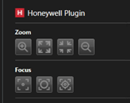
With the Honeywell Camera Manager installed, operators can access Honeywell-specific camera controls directly from the Milestone Smart Client, without needing to log into separate camera web pages.
This includes quick access to features such as:
- Focus and zoom controls
- Activating camera wipers
- Enabling PTZ auto-tracking
- Other model-specific Honeywell functions
The result is a smoother workflow, faster responses to incidents, and fewer distractions during live monitoring.
Faster Investigations with AI-Powered Search Filters
Searching video footage is one of the most time-critical tasks in any surveillance system.
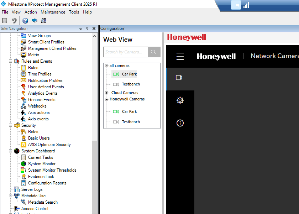
The plugin enhances Milestone’s existing search capabilities by adding intelligent, object-based analytics filters powered by Honeywell camera analytics. Operators can search footage using criteria such as:
- People or vehicles
- Licence plates
- Gender and age characteristics
- Other AI-driven attributes where supported on-camera
Instead of scrolling endlessly through footage, users can quickly narrow down results and focus on what matters. This not only saves time but also improves situational awareness and investigative accuracy.
Simplified Camera Management for System Administrators
For administrators and engineers, the Honeywell Camera Manager tool delivers clear productivity benefits.
From within the Milestone Management Client, administrators can:
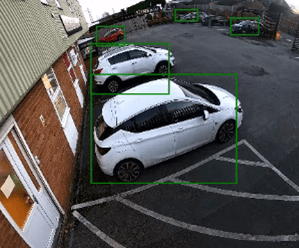
- Open the camera’s own web interface directly inside Milestone (no more hunting for IP addresses or login details)
- Check settings or make minor configuration changes without logging into each camera separately
- Work entirely within one application
This is especially valuable on larger systems, where even small savings in time can quickly add up.
Faster Camera Deployment with Bulk Configuration Tools
Installing or upgrading a system with many cameras can be time-consuming.
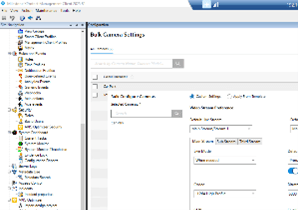
The Honeywell Camera Manager helps reduce this overhead through bulk configuration and template-based setup.
Administrators can:
- Import multiple cameras into Milestone using a spreadsheet
- Apply configuration settings to many cameras at once
- Save templates and reuse them for future installations
This leads to faster commissioning, more consistent configurations, and fewer setup errors, all benefits for integrators and end users alike.
Why This Free Plugin Matters
The Honeywell Camera Manager plugin significantly improves the overall Milestone XProtect experience by:
- Reducing everyday operational friction
- Speeding up investigations
- Simplifying system administration
- Improving consistency during installation and expansion
And because it’s free, it offers immediate value with no licensing cost or commercial risk.
For organisations already using Honeywell cameras with Milestone XProtect, this plugin is an easy win.
Learn More
If you’d like to understand how using Honeywell cameras with the Honeywell Camera Manager plugin could benefit your Milestone system and your business - whether you’re an end user, consultant, or system integrator - please get in touch with us for further information or a demonstration.