
The IP Camera Store and IP Cam Blog

The IP network camera online store and blog from Network Webcams

Archive for the 'Home Security' Category

Y-cam MultiLive Multi-Camera Viewing Software Now Available and FREE!

Y-cam MultiLive

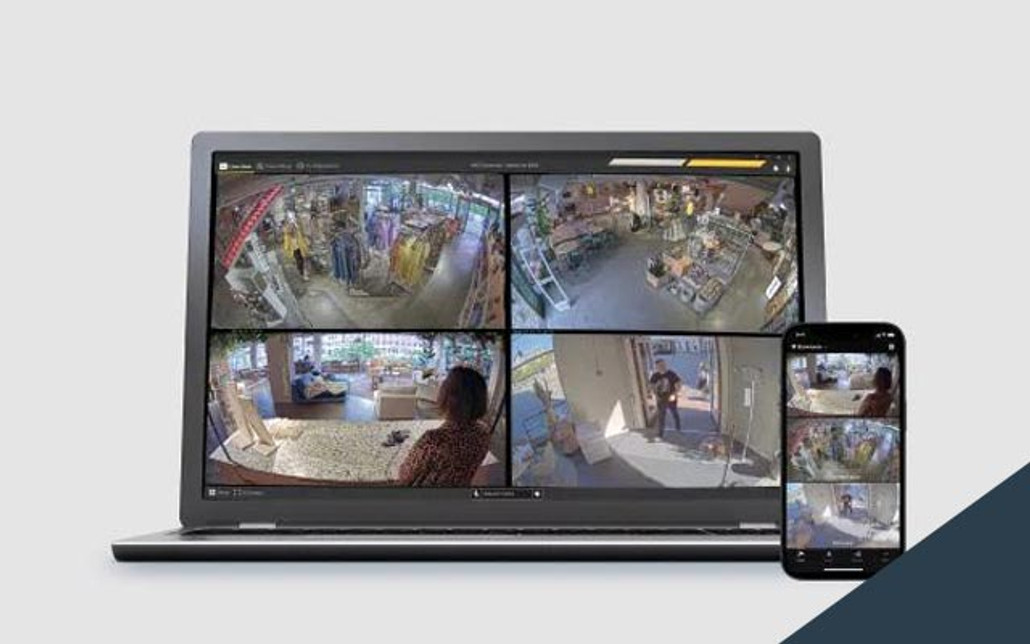
Y-cam MultiLiveWe are happy to announce that the people at Y-cam have just launched a free software application which allows you to view live images from up to nine Y-cams simulataneously!

Free Software Download

Y-cam MultiLive is a security monitoring application which you can download for free directly from us here at Network Webcams. The application will allow you to monitor multiple Y-cams with audio using the White or Black models, all from the comfort of one screen.

Y-cam MultiLive Product Image

Managed Video Clip Creation

The software helps manage the recording of video clips from all your connected Y-cams. Your recordings can be on-demand or set to record based on motion detection. Limits can be put in place to ensure that the amount of recordings does not exceed the amount of storage space available. A shortcut is provided in the application to take you directly to the folder where your recordings are saved, allowing quick access to your archives.

Main Features:

  • Monitor up to 9 simultaneous live action views with audio listen-in
  • Supports both Y-cam White and Y-cam Black or a combination of the two
  • Full Screen mode. Utilise every inch of your monitor space
  • Live video images scaled to fit screen or forced to correct aspect ratio
  • Digital zoom control from application
  • Start video clip creation on demand or based on motion detection
  • Manage your recordings and storage space requirements
  • Volume control

More Information:

Free download: Y-cam MultiLive Software

Y-cam White wireless IP security camera with audio listen-in
Y-cam Black wireless IP security camera, infrared night vision, audio listen-in

9 comments

Y-cam Black - New Year Promotion

Y-cam Black Promotion

Happy New Year for 2008.

We’re celebrating the start of 2008 by slashing the price of one of our popular IP cameras, the Y-cam Black.

The Y-cam Black is a compact IP Network Camera allowing you to access live video from your local network or even across the Internet. Specifically designed for small business or home users, the Y-cam Black can be used in offices, reception areas, small retail outlets or for home security, giving peace of mind. It’s also ideal for use as a baby monitor, nurserycam, pet cam or for keeping an eye on elderly relatives.

The Y-cam Black features:

  • Wireless 802.11b/g connectivity
  • Night vision mode using its 30 built-in infrared LEDs
  • 1-way audio. Listen in to sounds in the camera’s location
  • Small and compact with multiple mounting options - ideal if you want to keep the camera discreet
  • Video motion detection built in
  • Record video clips with audio
  • Free 5m power extension cable and free multi-camera viewing software

You can order in the UK and Europe by calling our sales team on +44 (0) 151 633 2111 or purchase below through our secure online store: Y-cam Black mini wireless IP camera

You can order in the U.S. by calling 516-522-2580 or purchase through our online store: Y-cam Black mini wireless IP camera

Delivery is free to mainland UK and continental U.S.

offer valid to 31/01/08
No comments

On Test: Y-cam Black

Y-CAM Black
Y-cam Black : £129.00 (ex. VAT)

Night Goggles On

Hot on the heels of the launch of their competitively priced Y-cam White the people at Y-cam have gone and launched a most unique camera with the Y-cam Black. It had been designed for home/small business security in mind and comes with 30 infrared LEDs built into the camera body. This incredibly useful feature allows the camera to auto-switch between colour daylight viewing and night vision mode, providing useful images in complete darkness thanks to infrared illumination. A feature such as this in a camera at this price point really is worth a look.

Read more

44 comments

On Test: Y-cam White

Y-CAM White
Y-cam White : £99.00 (ex. VAT)

We were actually tipped off about this camera from a gentleman on our forum. He made bold claims about it having as good a picture as a comparable Panasonic camera.

Not one to pass up on a challenge we got one in to take a look.

Read more

3 comments

Differences Between Milestone XProtect Basis+ and XProtect Professional

Milestone XProtect Basis+ Milestone XProtect Professional

If you are looking for a Milestone recording solution are but not sure which package suits your needs then take a moment to consider our guide to the key differences between Milestone XProtect Basis+ and Milestone XProtect Professional.

Read more

2 comments

All-In-One Wireless Outdoor Camera System Now Available

Axis 211W outdoor wireless ip cameraWe’re asked daily to provide a natively wireless outdoor IP camera and surveillance solution and up until now this has been complicated. With the release on our IP camera store of the Axis 211W outdoor wireless bundle we can now provide a single package, easy to install, highly cost-effective package comprising 1 x Axis 211W, 1 x Videotek Verso outdoor housing and 1 x external wireless outdoor antenna (including bracket suitable for wall/mast mounting and antenna cable). The package also includes power supplies, mounting kit, wall bracket, installation guides and more.

We will shortly be posting a full evaluation of this camera after our exhaustive testing. High quality outdoor wireless surveillance just got a whole lot easier. Don’t forget that these cameras can also make great web attraction webcams and the Axis 211W fits seamlessly into our Streamdays packages.

No comments

Panasonic BL-C131 Vs BL-C30

BL-C131 Wireless PTZ Network CameraWe’ve just taken delivery of a Panasonic BL-C131, the new successor to the amazingly popular BL-C30. We’ve had a play, and here’s a list of the key improvements that the new model offers over its original:

  • Simultaneous MJPEG and MPEG-4: The new MPEG-4 mode (the Panasonic BL-C30 only offered MJPEG video) allows video streaming at a full 30fps across all resolutions including VGA 640×480, giving a much smoother performance at the camera’s maximum resolution. As this relies on an Active-X plug-in this feature is compatible in Internet Explorer (IE) only.
  • 1-way Audio: The BL-C131 now offers 1-way audio support by using a built-in microphone allowing the viewer to listen in on sounds where the camera is positioned. We found the microphone to be extremely sensitive and work rather well. Again, this is reliant on ActiveX, so IE only.
  • Motion Detection: The Panasonic BL-C30 could only trigger events based on the thermal sensor input. The new BL-C131 offers built-in motion detection support as well as thermal sensor detection. A nice addition. With clever use of triggers you can now reduce the number of false positives you would normally recieve from a camera alarm using these detection methods. For example, if you set up both motion and thermal detection and you recieve an alert from both then you know, with much more certainty, that there is a person in front of the camera as it has detected movement and heat.
  • Full Screen Mode: This improved model now offers a full-screen mode which enlarges the field of view significantly when monitoring your camera. In any other browser it seems to display at the same size but in IE it is significantly larger than VGA (640×480) so this is probably reliant on the Active-X control again.
  • IPv6 Compatibility: To future-proof the camera it now comes as standard with IPv6 support out of the box. Probably not required right now but handy to have when it’s needed.
  • Improved User Interface: The configuration menus within the camera are much improved over the Panasonic BL-C30, particularly around event management and it seems much more emphasis has been put on automatic setup.

A full evaluation of the product will be available shortly.

We’re taking orders right now for this camera and its sister model the BL-C111 (wired ethernet equivalent/non-wireless), please see the links below for full specification and ordering details:

Panasonic BL-C111 Compact IP camera Pan/Tilt Audio Heat Sensor
Panasonic BL-C131 Wireless IP camera Pan/Tilt Audio Heat Sensor

15 comments

Important Warranty Information For All Axis Network Video Customers

AXIS INCREASES WARRANTY COVER FROM 1 TO 3 YEARS

Axis Communications announced on March 15th that it has increased the warranty period on its network video products from 1 to 3 years. The new, three-year hardware warranty applies to purchases made from January 1, 2007 and onwards. It is applicable to all Axis network video products except for the Axis 206 and Axis 207/207W/207MW network Cameras.

Read more

1 comment

Why sticking with the major IP camera manufacturers makes good sense

We are often asked why we only stock network camera products from the big boys: namely Axis, Panasonic and Sony. The reasons, for us, are simple and clear: reliability.

Read more

No comments

What IP Cameras are Mac Compatible?

So you’re looking for an IP camera, but you want make sure that you can view it through your spanking new Core 2 Duo 13″ MacBook.

Thankfully, your options are many. Read more

11 comments

Dynamic DNS, or Do I Really Need a Static IP Address?

When you install a new IP camera it is most likely that you’re going to want to view it from outside of the network on which it’s installed - your local network. To do this you need two things:

  1. You need to know your external IP, or WAN address
  2. You need ‘port forwarding’, or Network Address Translation (NAT) rules active on your router

Why does it have to be so complicated?

It doesn’t. Your WAN, external, or public IP address (all terms for the same thing) is the internet protocol number which links your broadband router or modem to the Internet. It is the gateway through which all network traffic exits, or crucially in this case, enters your network. You need to know this address to be able to connect back into your camera.

Read more

7 comments